










Back to all services

Most marketing data is wrong in ways nobody notices. I find the errors and build reports you can act on.

I connect every source into one view, test each number against what really happened, and turn it into a weekly report your team decides from.

  • 20

    Data sources joined into one view per brand

  • 850K+

    Views and impressions measured every month

  • 20+

    Tracking and data errors found and fixed

  • 3

    Sites where AI search is measured as its own channel

What I handle

I make sure the numbers you decide on are real. I set up the tracking, test it with real actions, filter out bots and your own team, and build dashboards that update themselves. Then I help you pick one thing to fix each week.

Book a tracking audit call
  • Analytics audit

    Find out how far you can trust your data, from GA4 and Tag Manager settings to every conversion.

  • Measurement strategy and KPI framework

    Agree the few metrics that run your business, each with a target, a warning line and one owner.

  • GA4 and Tag Manager implementation

    Track every visit, sign-up and sale the same way across your sites, with clean events and campaign tagging.

  • Conversion tracking

    Send each ad platform the real sales and leads, counted once and proven with a live test order.

  • Lead source attribution

    See which channel brought every lead and customer, carried from the first click into your CRM.

  • Dashboards and data pipelines

    Get dashboards fed by daily data syncs, with a plain-language summary your leadership reads in minutes.

  • Data quality and monitoring

    Keep bots, internal visits and broken tags out of your reports, with alerts the day tracking breaks.

  • SEO and AI search measurement

    Measure rankings, indexing and visits from AI assistants like ChatGPT as channels in their own right.

How a project runs

Step 1 of 6Weeks 1 and 2

Audit your current tracking

Before changing anything, I check what you track today and how far each number can be trusted.

  • Access to your analytics, tag manager, search data, ad accounts and CRM
  • An inventory of every tag, event and data source already running
  • Key numbers checked against orders, CRM records and server logs
  • Bot traffic, internal visits and double counting found and sized

Step 2 of 6Week 2

Write the measurement plan

I turn your business goals into the few metrics that matter, and write down exactly how each one is tracked.

  • KPIs tied to your goals, each with a target and a warning line
  • A tracking plan listing every event and conversion, with naming rules
  • Campaign tagging rules for every link you share
  • Lead source fields agreed for your CRM

Step 3 of 6Weeks 2 to 4

Implement the tracking

I build the tracking to the plan, across your site, your ad platforms and your CRM.

  • Analytics and tag manager set up to the tracking plan
  • Conversion tags for each ad platform, with every purchase counted once
  • Lead source carried from the first click into your CRM
  • Search data and AI assistant visits tracked as channels of their own

Step 4 of 6Before and after launch

Test and validate every number

Nothing goes into a report until it is proven against a real action.

  • Test orders and form submissions tracked end to end
  • Every conversion checked on every live page, in every platform
  • Filters for bots and your team's own visits
  • Results compared with your store, CRM and server logs

Step 5 of 6Weeks 3 to 6

Build dashboards and data feeds

I connect your data so reports update themselves and nobody exports a file by hand.

  • Daily syncs from your analytics, search data and CRM
  • A dashboard for marketing and a plain-language summary for leadership
  • A weekly scorecard against each target
  • A daily or weekly summary in your team chat or email

Step 6 of 6Every week, then ongoing

Monitor, improve and hand over

Tracking drifts as sites change, so I keep it watched, act on what it shows, and document it for your team.

  • An alert whenever a data feed or scheduled job goes quiet
  • One priority fix a week from the biggest leak in your funnel
  • The measurement plan, naming rules and access list kept up to date
  • Training for your team, and support afterwards if you want it

My tool stack

The tools I use for Marketing analytics and optimization work, across the projects above.

Tracking and tags

  • Google Analytics 4
  • Google Tag Manager

Ad conversion tracking

  • Meta Ads Manager
  • Google Ads
  • TikTok Ads
  • Microsoft Ads
  • Shopify

Search and AI visibility

  • Google Search Console
  • Bing Webmaster Tools
  • Semrush

CRM and lead data

  • Karbon
  • Zapier

Data and dashboards

  • Looker Studio
  • Supabase
  • Google Sheets
  • Slack

Behavior analytics

  • Microsoft Clarity
  • PostHog

AI models

  • ChatGPT (OpenAI)
  • Claude

Testing and launch checks

  • Playwright

Common questions

The questions I hear most before a project starts.

Why don't my GA4 numbers match my ad platforms or my store?

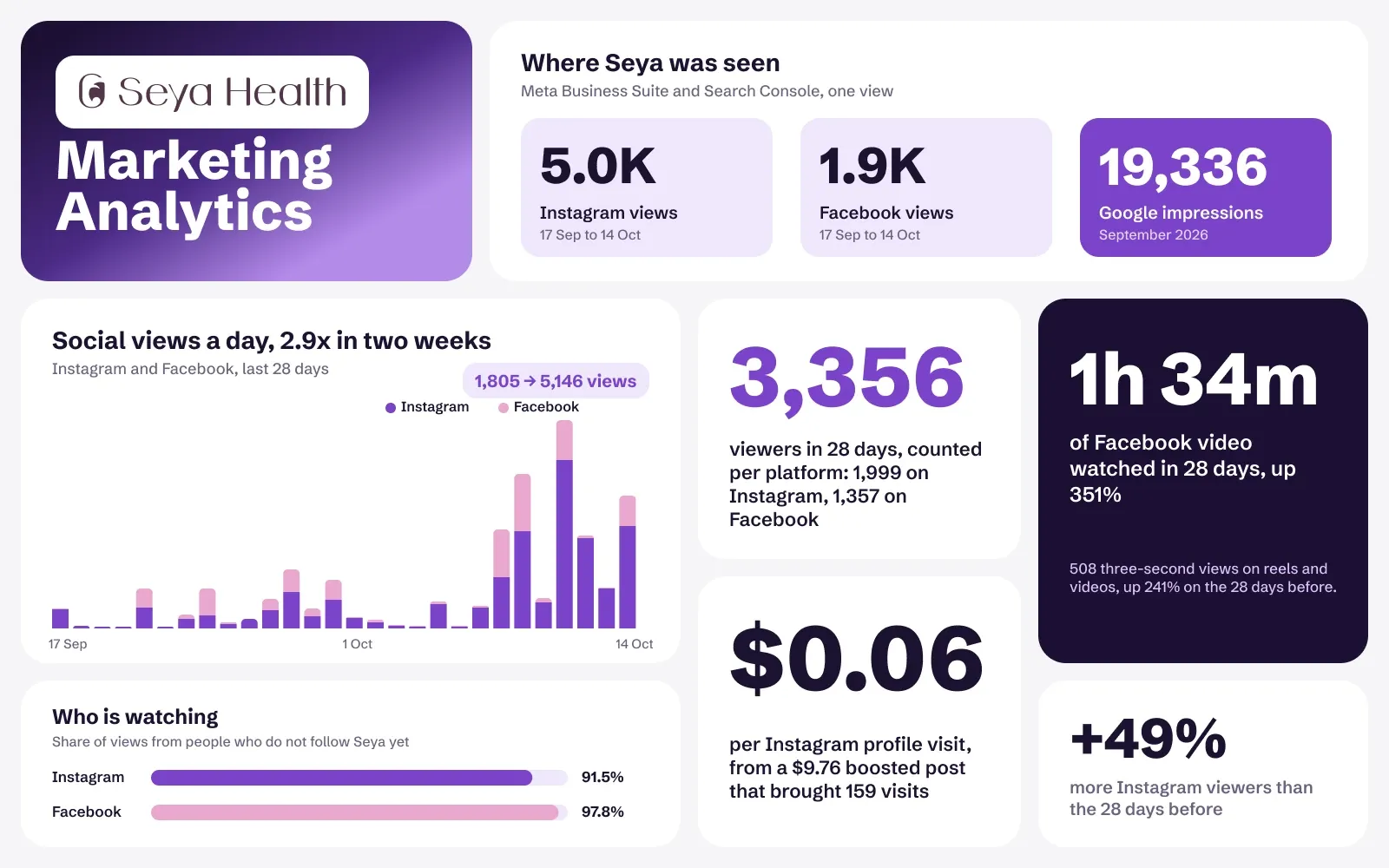
Each tool counts in its own way, with its own attribution window, so they will never match exactly. The bigger problem is double counting. On Seya I gave each ad platform one conversion source, passed the order number so duplicate events are dropped, and proved it with a real test order before any ad spend.

How do you know the data is right?

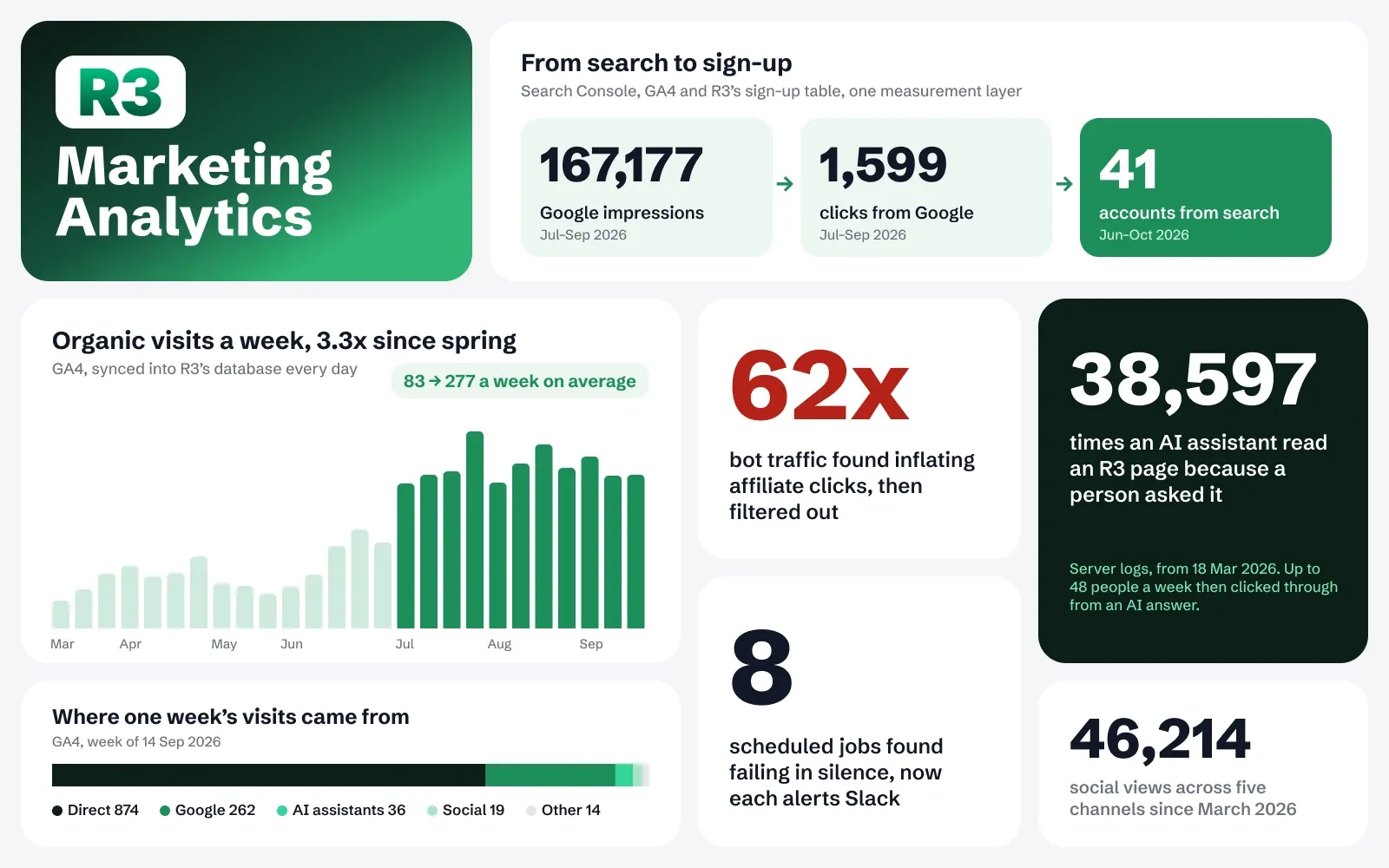
I check it against something real: orders, CRM records or raw server logs. On R3 that check showed bots had inflated the affiliate click count 13 to 62 times, and eight scheduled jobs had been failing without anyone noticing. I check my own setup the same way.

Can you track visitors from ChatGPT and other AI assistants?

Yes. I set AI assistants up as their own channel in your analytics and carry them into your CRM as a lead source, as I did for R3 and WhippleWood. Some AI visits lose their referrer and land in direct traffic, so I report the count as a floor.

Do you run A/B tests?

Where your traffic is large enough, yes. Smaller sites rarely have the volume for a clean test, so I tell you that and use other methods: a weekly review that fixes the biggest leak in the funnel, and creative tests inside the ad platform. For a US real estate brand, one static image per listing carried 93% of 56 leads.

Will my team be able to use the dashboards after you leave?

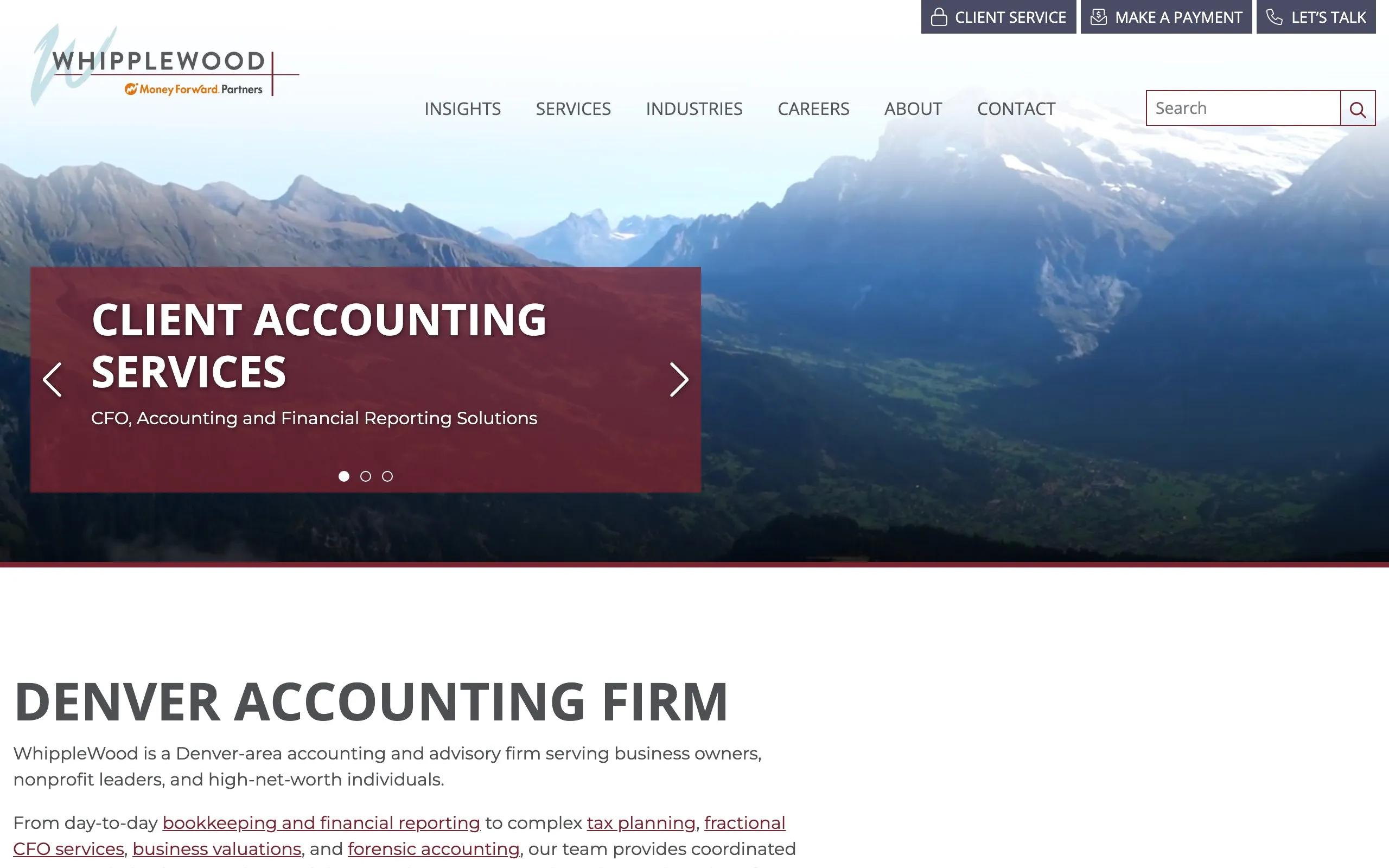
Yes. Everything runs on your own accounts, updates itself and comes with a plain-language summary. WhippleWood's leadership reads its sales dashboard without exporting anything, and the team works to a standard of a first response within one business day.

Which tools do you work with?

GA4, Google Tag Manager, Search Console, Looker Studio, Microsoft Clarity and PostHog, plus the conversion tags for Meta, TikTok, Microsoft and Google Ads. For dashboards that need more than Looker Studio, I sync the data into a database.

How much does it cost?

It depends on how many sites, ad platforms and data sources you have, so I quote after a short call. Tell me about your tracking on the contact page, and I send a plan and my rates by email or on Zalo.

Let's get numbers your team can trust

Tell me what you track today and which numbers you doubt. I reply within one working day.